Glorion USDT Withdrawal: Picking the Right Network
Withdrawing your winnings from an online casino should be a moment of celebration, not confusion. For players at Glorion casino using the popular USDT (Tether) cryptocurrency, the most critical step is selecting the correct blockchain network. This guide provides a clear, step-by-step walkthrough to ensure your withdrawal is processed quickly, securely, and without costly errors.
Understanding USDT and Network Compatibility
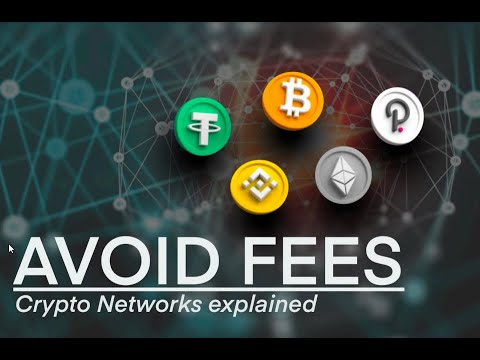
USDT exists on multiple blockchains, including TRON (TRC20), Ethereum (ERC20), and Binance Smart Chain (BEP20). The network you choose must be compatible with the wallet you are sending your funds to. Sending USDT via the wrong network is one of the most common and expensive mistakes, often resulting in the permanent loss of your funds. Before initiating any withdrawal, always confirm which networks your external crypto wallet supports for receiving USDT. Most wallets, like Trust Wallet or MetaMask, support several, but it is your responsibility to select the correct one at the Glorion withdrawal screen.
Step-by-Step Guide to a Successful USDT Withdrawal
Follow these precise steps to securely withdraw your funds from your account to your personal wallet.
- Log in to your Glorion account and navigate to the ‘Cashier’ or ‘Withdrawal’ section.
- Select USDT (Tether) from the list of available payment methods.
- Enter the exact amount you wish to withdraw, ensuring it meets the minimum requirement.
- Paste your personal crypto wallet’s USDT deposit address into the required field. Double-check this address for accuracy.
- This is the most crucial step: Select the Network. Choose the network that matches your wallet’s compatibility (e.g., TRC20, ERC20).
- Review all details carefully and confirm the withdrawal request.
You will typically receive an email confirmation. The processing time at this stage is usually under 24 hours, though it can be faster.
Network Fees and Processing Times Compared
Your choice of network directly impacts the transaction fee (gas fee) you will pay and the speed of the transfer. These fees are not charged by Glorion but are inherent to the blockchain network itself. The table below outlines the typical differences you can expect.
| Network | Average Fee | Average Processing Speed | Best For |
|---|---|---|---|
| TRON (TRC20) | $1 or less | 1-5 minutes | Low-cost, fast withdrawals |
| Binance Smart Chain (BEP20) | $0.5 – $1.5 | 1-3 minutes | Users of Binance and compatible wallets |
| Ethereum (ERC20) | $5 – $20+ | 5-15 minutes | Wallets that only support the ERC20 standard |
For most users, the TRC20 network offers the best balance of low cost and high speed.
Troubleshooting Common Withdrawal Issues
Even with careful planning, issues can arise. Here are solutions to common problems:
- Transaction “Pending” for Over 24 Hours: This is usually due to casino-side processing, not the blockchain. Contact customer support for an update. Ensure you have completed any necessary KYC verification, as this can delay withdrawals.
- Funds Not in Wallet After Network Confirmation: First, check the transaction status on a blockchain explorer using the TxID provided by Glorion. If it shows as successful, your funds are in your wallet but may need to be added manually. Re-sync your wallet or add the USDT token contract address for the specific network.
- Incorrect Network Selected: This is a serious error. Immediately contact the support teams of both the casino and your wallet provider. While recovery is often impossible, they may be able to offer guidance.
Maximizing Your Withdrawal with Glorion Bonuses
Before withdrawing, ensure you have met all wagering requirements attached to any bonuses. A Glorion bonus, whether a match deposit offer, a Glorion no deposit promotion, or Glorion free spins awarded from a Glorion promo code, will have specific playthrough conditions. Attempting to withdraw before meeting these requirements will result in the forfeiture of your bonus and any associated winnings. Always review the terms and conditions of each promotion in your account’s bonus section.
Security and Verification Best Practices
To ensure a smooth withdrawal process, complete the KYC (Know Your Customer) verification in advance.
For any questions, you can always visit the official website of Glorion to find support and more information.
Glorion will typically require a clear photo of your government-issued ID, a recent proof of address (like a utility bill), and sometimes a selfie holding your ID. Having these documents ready drastically speeds up the first withdrawal process. Always use strong, unique passwords and enable two-factor authentication (2FA) on both your casino account and your crypto wallet for maximum security.